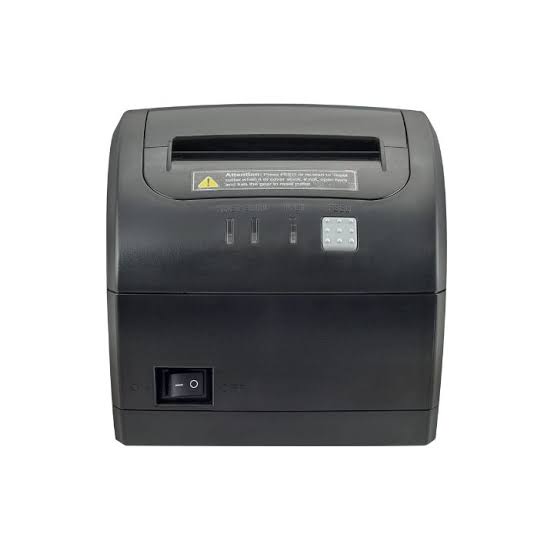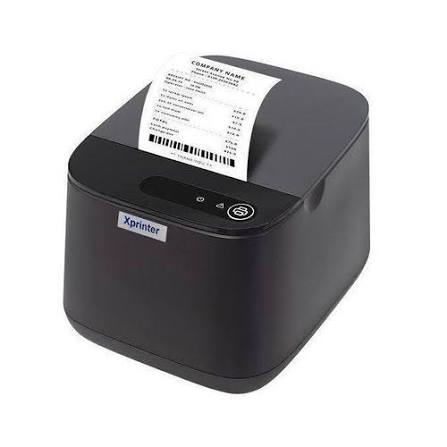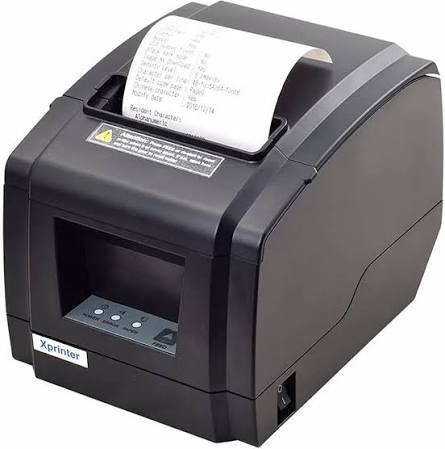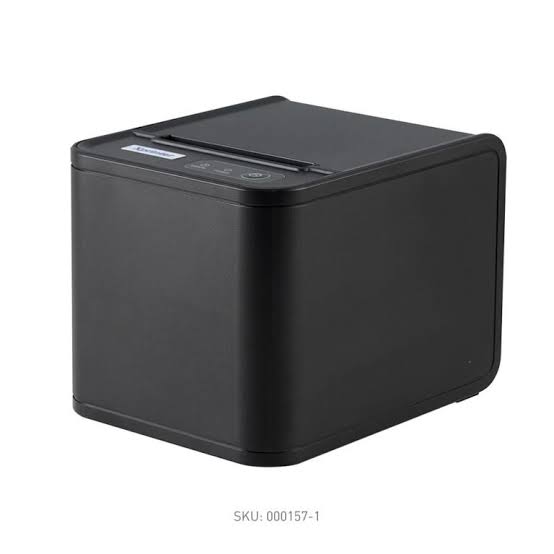
Thermal printing technology has become an essential part of modern business operations, supporting everything from retail transactions and product labeling to shipping documentation and inventory management. As companies handle increasing volumes of information, reliable printing equipment helps maintain accurate records and improve everyday workflows. However, thermal printers are available in different configurations, each designed to address particular printing requirements.
An Xprinter Thermal Printer can serve various commercial applications depending on its printing method, design, connectivity, and supported media. Understanding the different types of thermal printers and their specific uses can help businesses identify suitable equipment for their operational needs. This guide explores the main categories, their features, and the industries where they are commonly used.
1. Understanding Thermal Printing Technology
Thermal printing is a process that uses controlled heat to create text, images, barcodes, and other information on a printing surface. Unlike conventional inkjet and laser printers, thermal printers rely on heat-sensitive materials or heat-activated ribbons.
The technology is widely used because it can produce printed information quickly while reducing certain consumable requirements. Its applications range from simple transaction receipts to detailed product identification labels.
There are two primary thermal printing methods:
- Direct thermal printing.
- Thermal transfer printing.
Although both methods use heated printheads, they differ in how images are created and how long printed information typically remains readable.
2. Direct Thermal Printers
Direct thermal printers use specially coated paper or labels that react to heat. When the printing material passes beneath the thermal printhead, selected heating elements activate the coating and create dark marks.
This process does not require ink cartridges, toner, or printing ribbons.
Key Features
Direct thermal printers offer several practical characteristics:
- Simple printing mechanisms.
- No ink or toner requirements.
- Convenient paper replacement.
- Fast receipt and label production.
- Relatively straightforward routine maintenance.
However, direct thermal printing materials can gradually darken or fade when exposed to excessive heat, sunlight, moisture, or friction.
Common Applications
Direct thermal printers are particularly suitable for applications where printed information does not need to remain readable for many years.
Common examples include:
- Retail transaction receipts.
- Restaurant order tickets.
- Parking receipts.
- Shipping labels with short-term requirements.
- Queue management tickets.
- Temporary product identification labels.
Retail stores and restaurants frequently use this technology because it supports frequent printing without the need to manage traditional ink supplies.
3. Thermal Transfer Printers
Thermal transfer printers use a ribbon coated with ink or specialized printing material. During operation, the printhead heats selected areas of the ribbon, transferring the coating onto paper or another compatible surface.
Unlike direct thermal printing, this method does not depend on heat-sensitive paper.
Key Features
Thermal transfer printers are useful when businesses need durable labels and consistent identification information.
Their characteristics include:
- Compatibility with different label materials.
- Support for various ribbon types.
- Clear text and barcode production.
- Potentially greater resistance to environmental exposure.
- Suitability for long-term product identification.
The durability of the finished print depends on the ribbon, label material, and environmental conditions.
Common Applications
Thermal transfer printing is widely used in environments where labels must remain readable during storage, handling, and transportation.
Typical applications include:
- Industrial product labeling.
- Warehouse inventory identification.
- Asset tracking.
- Chemical and equipment identification.
- Long-term storage labels.
- Manufacturing documentation.
Businesses should select compatible ribbons and label materials based on the required durability and operating environment.
4. Desktop Thermal Printers
Desktop thermal printers are compact devices designed for everyday printing in offices, retail stores, restaurants, and smaller commercial environments.
They are generally positioned on counters or workstations and are suitable for businesses that need convenient access to receipt or label printing.
Key Features
Desktop models are often valued for their relatively small footprint and straightforward operation.
Depending on the configuration, they may offer:
- Compact construction.
- USB or network connectivity.
- Convenient media loading.
- Different printing resolutions.
- Support for receipt paper or labels.
Common Applications
Desktop thermal printers can be used for:
Small retail stores: Printing customer receipts and transaction records.
Restaurants: Producing order tickets and billing documents.
Offices: Generating labels and other routine printed materials.
Small warehouses: Printing inventory identification and shipping labels.
Their suitability depends on the expected printing volume and the specifications of the individual model.
5. POS Receipt Printers
Point-of-sale (POS) receipt printers are specifically designed to generate transaction records in commercial environments.
They commonly use direct thermal technology to print customer receipts quickly after payments are processed through a connected POS system.
Key Features
POS thermal printers may include:
- High-speed receipt printing.
- Automatic paper-cutting mechanisms.
- Compact counter-friendly designs.
- Multiple connectivity interfaces.
- Support for different receipt widths.
- Compatibility with selected POS software.
Some models also include status indicators and sensors that notify employees about paper shortages or printing errors.
Common Applications
POS receipt printers are frequently used in:
- Supermarkets.
- Restaurants and cafés.
- Clothing stores.
- Convenience shops.
- Pharmacies.
- Hotels and service businesses.
By generating transaction records efficiently, these printers help businesses maintain organized checkout procedures.
6. Barcode and Label Printers
Barcode and label printers are designed to produce identification labels containing text, graphics, and machine-readable codes.
They are particularly important in businesses that manage large inventories or regularly transport products between locations.
Key Features
Depending on the model and printing method, barcode printers may support:
- Different label dimensions.
- Multiple barcode formats.
- Adjustable print resolutions.
- Continuous or gap-based label media.
- Thermal transfer or direct thermal printing.
- Software-based label design and formatting.
Common Applications
These printers support several operational activities:
Inventory management: Producing labels that identify products and stock-keeping units.
Warehousing: Marking shelves, storage bins, and inventory locations.
Shipping: Generating package identification and delivery labels.
Manufacturing: Labeling finished products and production components.
Retail: Creating price tags and product identification labels.
Accurate barcode printing helps improve scanning reliability and supports efficient product tracking.
7. Portable Thermal Printers
Portable thermal printers are designed for situations where employees need to print information away from a fixed workstation.
Many models feature lightweight construction and rechargeable batteries, although available capabilities vary between devices.
Key Features
Portable printers may include:
- Compact and lightweight designs.
- Battery-powered operation.
- Bluetooth or wireless connectivity.
- Convenient paper loading.
- Compatibility with selected smartphones and tablets.
These characteristics allow employees to generate printed documents in different working environments.
Common Applications
Portable thermal printers are useful for:
- Delivery documentation.
- Mobile retail transactions.
- Field service records.
- Transportation tickets.
- On-site labeling.
- Inventory checks outside traditional office environments.
Their value comes from allowing printing activities to take place closer to where business operations occur.
8. Mobile Receipt Printers
Mobile receipt printers are a specialized category of portable thermal printing equipment used to generate transaction records while employees are working outside traditional checkout areas.
They are commonly designed to connect with mobile POS terminals, tablets, or smartphones.
Key Features
Depending on the model, mobile receipt printers may provide:
- Rechargeable battery systems.
- Wireless communication.
- Compact dimensions.
- Simple paper replacement.
- Portable operating convenience.
Common Applications
Mobile receipt printing is particularly useful for delivery businesses, outdoor sales, transportation services, and temporary retail locations.
For example, a delivery employee can generate a transaction receipt or payment record without returning to a central office or checkout counter.
9. Industrial Thermal Printers
Industrial thermal printers are designed for demanding environments where printing workloads may be higher and operations more continuous.
They are commonly used in manufacturing facilities, distribution centers, and large warehouses.
Key Features
Industrial models may offer:
- Heavy-duty construction.
- Higher printing capacity.
- Larger media roll support.
- Advanced connectivity.
- Multiple label format options.
- Components designed for frequent operation.
Some industrial printers also provide advanced media sensors and configuration options for specialized labeling applications.
Common Applications
Industrial thermal printers support:
- Product identification.
- Manufacturing process labels.
- Warehouse inventory tracking.
- Shipping and distribution.
- Equipment identification.
- Asset management.
Businesses should compare rated duty cycles, media capacity, and environmental specifications before selecting industrial printing equipment.
10. Comparing Different Types of Thermal Printers
The following comparison highlights the main characteristics and typical uses of different thermal printer categories.
| Printer Type | Main Characteristics | Common Applications |
|---|---|---|
| Direct Thermal | Uses heat-sensitive paper or labels | Receipts and short-term labels |
| Thermal Transfer | Uses a heated ribbon to transfer material | Durable product and industrial labels |
| Desktop Thermal | Compact design for everyday use | Small retail stores and offices |
| POS Receipt | Designed for transaction printing | Supermarkets and restaurants |
| Barcode and Label | Supports product and inventory identification | Warehouses and logistics |
| Portable Thermal | Compact and often battery-powered | Field services and mobile operations |
| Mobile Receipt | Designed for mobile transaction records | Delivery and outdoor sales |
| Industrial Thermal | Built for demanding printing workloads | Manufacturing and distribution |
It is important to recognize that these categories are not always mutually exclusive. For example, a desktop printer may also be a direct thermal label printer, while an industrial printer may use thermal transfer technology.
11. Factors to Consider When Selecting a Thermal Printer
Choosing suitable equipment requires more than identifying the printer category. Businesses should also examine the technical specifications and operational requirements associated with each model.
Printing Volume
Estimate the number of receipts or labels that need to be printed daily. High-volume environments may require equipment designed for continuous operation.
Print Resolution
Resolution, measured in dots per inch (DPI), influences the level of detail in printed output. Higher resolution may be necessary for small text and complex barcodes.
Printing Speed
Compare the manufacturer’s stated printing speed with the expected workload. Faster output can help reduce delays in busy commercial environments.
Media Compatibility
Check supported paper widths, label dimensions, roll sizes, and material types. This helps ensure that the printer works with the supplies already used by the business.
Connectivity
Consider whether USB, Ethernet, Bluetooth, Wi-Fi, or serial connectivity is needed to integrate the printer with existing devices.
Software Compatibility
Verify support for the operating systems, printer drivers, POS applications, and inventory platforms used by the organization.
Maintenance and Durability
Evaluate cleaning requirements, replacement-part availability, printhead durability, and the working conditions in which the printer will operate.
Considering these factors helps businesses select equipment that provides practical value rather than unnecessary features.
12. Maintenance Tips for Different Thermal Printers
Regular maintenance is important for preserving print quality and preventing avoidable equipment problems.
Although maintenance procedures vary between models, several practices apply to most thermal printers:
- Clean the printhead using manufacturer-recommended materials.
- Remove paper dust and adhesive residue from internal components.
- Inspect rollers and sensors for dirt or damage.
- Use compatible printing materials.
- Check paper alignment and feeding mechanisms.
- Keep equipment away from excessive moisture and heat.
- Follow recommended servicing and replacement schedules.
Thermal transfer printers also require appropriate ribbon installation and inspection. Portable models may need additional attention to battery condition and charging practices.
Conclusion
Thermal printers are available in several types, each designed to address different commercial and industrial requirements. Direct thermal and thermal transfer technologies provide the foundation, while desktop, POS, barcode, portable, mobile, and industrial configurations serve more specific applications.
Understanding these differences makes it easier for businesses to select printing equipment that matches their workload, printing materials, operating environment, and software requirements. By evaluating these factors carefully, organizations can integrate suitable thermal printing solutions into their daily operations and maintain efficient information management across different departments.