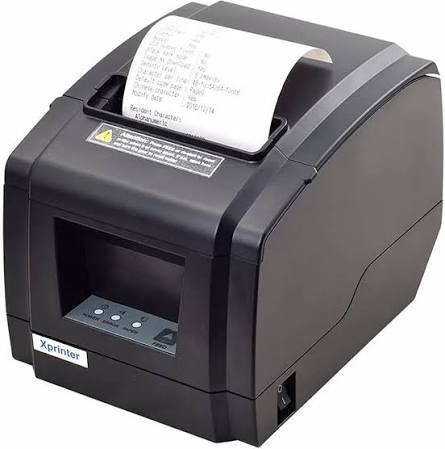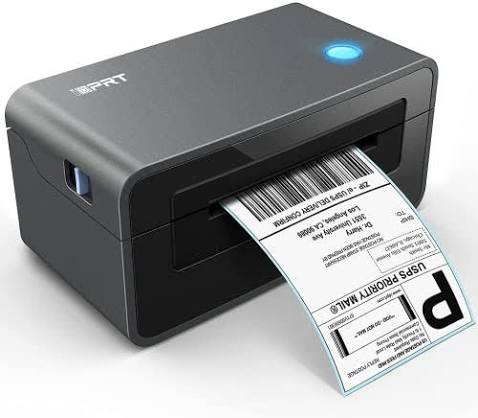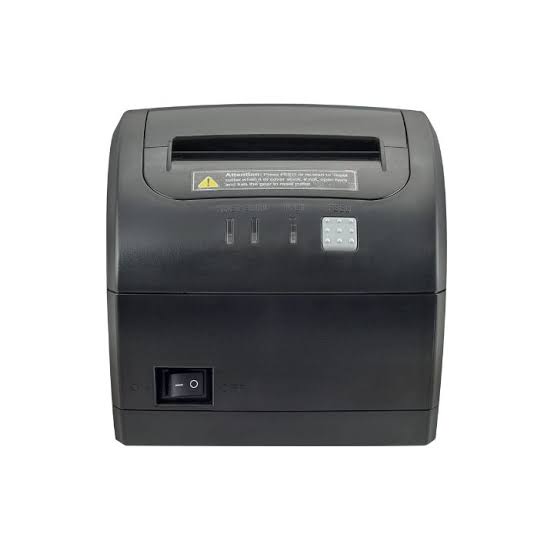
Receipt paper is an essential supply for businesses that use printing equipment to produce transaction records, payment confirmations, order tickets, and customer bills. Although paper rolls may look similar, they can differ significantly in material, coating, thickness, dimensions, and printing technology compatibility. Selecting the wrong type can result in faded text, blank receipts, paper jams, or unnecessary wear on printer components.
Understanding these differences helps businesses choose suitable supplies and maintain consistent printing quality. When selecting a Receipt Printer, buyers should consider not only the device’s printing technology but also the paper specifications recommended by the manufacturer.
1. What Is Receipt Paper?
Receipt paper is specially manufactured paper used to print transaction information in retail stores, restaurants, supermarkets, hotels, and other commercial environments. It is commonly supplied in rolls designed to fit the paper compartments of different printer models.
The paper must be compatible with the printer’s printing mechanism. Thermal printers require heat-sensitive paper, while impact printers generally use standard paper with an ink ribbon. Choosing the correct material helps ensure readable output and reliable paper feeding.
Receipt paper is available in different widths, roll diameters, thicknesses, and surface finishes. These specifications should be checked before purchasing replacement supplies.
2. Thermal Receipt Paper
<AsyncImage query=”white thermal receipt paper rolls close up retail printer supplies” aspectRatio=”16:9″ maxHeight={190}/>
Thermal receipt paper is widely used in modern point-of-sale environments. It has a special chemical coating that changes color when exposed to heat from a thermal printhead. This allows printers to produce text and graphics without traditional ink cartridges or ribbons.
Main Characteristics
- Heat-sensitive coating for direct thermal printing.
- Smooth surface designed for contact with a thermal printhead.
- Available in different widths and roll diameters.
- Suitable for fast transaction printing.
- No separate ink or ribbon required.
Thermal paper is commonly used in supermarkets, retail stores, restaurants, cafés, and payment counters. However, it should be protected from excessive heat, direct sunlight, moisture, and certain chemicals because these conditions can affect the printed image.
3. Bond Paper for Impact Printers
<AsyncImage query=”plain white bond paper receipt roll for impact dot matrix printer” aspectRatio=”16:9″ maxHeight={190}/>
Bond paper is a conventional paper type that can be used with compatible impact printers. Unlike thermal paper, it does not rely on a heat-sensitive coating. Instead, the printer uses mechanical pressure to transfer ink from a ribbon onto the paper.
This printing method is useful in applications where businesses need physical documents without relying on thermal coatings. Some impact printing systems can also produce multi-copy documents using suitable paper arrangements.
Bond paper is commonly used in certain restaurant kitchens, service counters, and commercial environments where impact printing is preferred. It should not be used in a direct thermal printer unless the manufacturer specifically supports that material.
4. Two-Ply and Multi-Ply Receipt Paper
<AsyncImage query=”two ply carbonless receipt paper rolls white yellow duplicate copy” aspectRatio=”16:9″ maxHeight={190}/>
Two-ply and multi-ply papers are designed to produce multiple copies of a document from a single printing process. Depending on the paper system, these may use carbonless coatings or other transfer methods to create duplicate records.
They can be useful for businesses that need separate copies for customers, employees, kitchens, or administrative departments.
However, not every printer supports multi-ply paper. Businesses should confirm that the device has an appropriate impact-printing mechanism and supports the required paper configuration before purchasing these supplies.
5. Understanding Common Receipt Paper Sizes
Paper dimensions are among the most important compatibility factors. A roll that is too wide may not fit into the printer compartment, while an unsuitable roll diameter may prevent the cover from closing correctly.
Common receipt paper widths include:
| Paper width | Typical applications |
|---|---|
| 57 mm | Compact POS printers and some portable devices |
| 58 mm | Small retail counters and mobile receipt printers |
| 80 mm | Many standard retail and restaurant POS systems |
| 82.5 mm | Selected commercial receipt printer models |
These are common market sizes, not universal standards for every printer. The exact supported width should always be confirmed in the device specifications.
Roll diameter is equally important. A printer designed for a smaller roll may not accommodate a larger one, even when the paper width is correct.
6. Paper Thickness and Weight
Receipt paper thickness influences its flexibility, feeding behavior, and overall handling characteristics. Paper that is too thick or too stiff may not move smoothly through a printer designed for lighter materials.
Manufacturers may specify paper thickness in micrometers (µm) or paper weight in grams per square meter (gsm). These measurements describe different properties and should not be treated as interchangeable.
When choosing paper, businesses should follow the printer manufacturer’s recommended specifications. Using suitable material helps reduce feeding problems and supports consistent printing.
7. How to Match Receipt Paper with Different Printer Technologies
Paper compatibility depends primarily on the printer’s printing mechanism.
Direct Thermal Printers
Direct thermal printers require heat-sensitive thermal paper. The coated side must face the printhead so that heat can create visible text and images.
Using ordinary bond paper in a direct thermal printer generally produces no readable output because the material does not contain the required heat-sensitive coating.
Impact or Dot Matrix Printers
Impact printers use a ribbon and mechanical pressure to transfer ink onto paper. They typically support compatible plain paper and may accommodate certain multi-part paper formats.
Thermal paper is generally unnecessary for these devices. The paper dimensions and thickness must still match the printer’s supported specifications.
Mobile Receipt Printers
Many portable receipt printers use direct thermal technology. Their compact design means paper width and maximum roll diameter are especially important.
Users should check the manufacturer’s recommended roll size before purchasing supplies in bulk. This helps avoid paper compartment problems during mobile operations.
8. Factors That Affect Receipt Paper Compatibility
Several technical details determine whether a paper roll will work correctly with a particular printer.
Printing technology: The paper must match the device’s thermal or impact printing mechanism.
Paper width: The roll should fit the printer’s paper path without excessive movement or obstruction.
Roll diameter: The paper compartment must have enough space to accommodate the roll.
Paper thickness: Material that is too thick or stiff may cause feeding difficulties.
Coating quality: Thermal paper should have a suitable coating for clear and consistent image formation.
Core dimensions: The internal core must be compatible with the printer’s roll holder or spindle.
Operating environment: Heat, humidity, and other environmental conditions can affect paper performance and storage life.
Checking these specifications before ordering helps businesses avoid purchasing incompatible supplies.
9. How Paper Quality Influences Printing Results
The quality of receipt paper directly affects the readability and appearance of printed information. Low-quality thermal paper may produce uneven text, inconsistent darkness, or receipts that fade more quickly.
Poor paper can also create excessive dust or coating residue, potentially increasing the need for printer cleaning. In some cases, unsuitable material may contribute to paper-feeding problems.
Businesses should select paper from reliable suppliers and test new products before placing large orders. A sample test can reveal differences in print clarity, feeding performance, and handling quality.
10. Proper Storage and Handling of Receipt Paper
Even compatible paper can produce poor results if it is stored incorrectly. Thermal paper is particularly sensitive to environmental conditions because its coating reacts to heat and other external factors.
Businesses can preserve paper quality by following several basic practices:
- Store paper in a cool, dry location.
- Keep rolls away from direct sunlight and heat sources.
- Avoid exposing paper to excessive humidity.
- Protect unused rolls from dust and moisture.
- Keep paper away from solvents, oils, and other potentially reactive chemicals.
- Follow supplier recommendations for storage and shelf life.
Proper storage helps maintain the paper’s printing characteristics and reduces waste caused by damaged or deteriorated supplies.
11. Common Receipt Paper Problems and Their Solutions
Paper-related problems can interrupt checkout operations and affect the quality of transaction records. Understanding their causes makes troubleshooting easier.
| Common problem | Possible cause | Practical solution |
|---|---|---|
| Blank receipts | Thermal paper loaded incorrectly | Reverse the roll and test again |
| Faded printing | Low-quality paper or unsuitable print settings | Use compatible paper and review density settings |
| Paper jams | Incorrect dimensions or damaged rolls | Replace with the recommended paper size |
| Uneven printing | Dirty printhead or inconsistent coating | Clean the printhead and test another roll |
| Paper does not fit | Incorrect width or roll diameter | Check the printer’s specifications |
| Frequent paper dust | Poor-quality or damaged paper | Use suitable supplies from a reliable source |
If problems continue after replacing the paper, inspect the printer’s feeding mechanism and printing components.
12. Selecting the Right Receipt Paper for Different Businesses
Paper requirements vary depending on the type of business and the documents being produced.
Retail Stores and Supermarkets
These businesses often need thermal paper for frequent customer transactions. Standard roll sizes supported by their POS printers can help maintain consistent checkout operations.
Restaurants and Cafés
Restaurants may use thermal paper for customer bills and compatible impact paper for kitchen order tickets. The choice depends on whether the printing system is installed at the counter or in a kitchen environment.
Hotels and Hospitality Businesses
Hotels may require different paper formats for front-desk payments, restaurant transactions, and service records. Compatibility with the installed printers should be checked across each department.
Mobile Businesses
Food trucks, delivery services, and outdoor vendors often use compact thermal printers. Smaller paper rolls help maintain portability, but users must confirm the supported width and roll diameter.
13. How to Check Paper Compatibility Before Buying in Bulk
Purchasing receipt paper in large quantities can reduce supply costs, but ordering incompatible products may create unnecessary waste. Businesses should verify the required specifications before committing to a bulk purchase.
A practical checking process includes:
- Identify the printer’s model number.
- Review the manufacturer’s recommended paper type.
- Confirm the supported paper width and maximum roll diameter.
- Check thickness, core dimensions, and other listed specifications.
- Purchase a small sample quantity.
- Test print quality and paper feeding.
- Place a larger order only after confirming compatibility.
This process is particularly useful for businesses operating multiple printers, as different models may support different paper sizes.
Conclusion
Understanding receipt paper types and printer compatibility is essential for maintaining reliable transaction printing. Thermal paper, bond paper, and multi-ply paper serve different purposes, and each must be matched with an appropriate printing mechanism.
Businesses should check paper width, roll diameter, thickness, coating quality, and storage requirements before purchasing supplies. By choosing compatible materials and testing them before bulk orders, organizations can maintain clear receipts, reduce printing problems, and support consistent daily operations.